


News Channel 5 Nashville
4.11.22K Reviews
App Specs
- Version
- Varies with Device
- Updated On
- License
- Free
- Downloads
- 100,000+
- Developer
- The E.W. Scripps Company
- Categories
- News & Magazines
- Platform
- Android
Screenshots
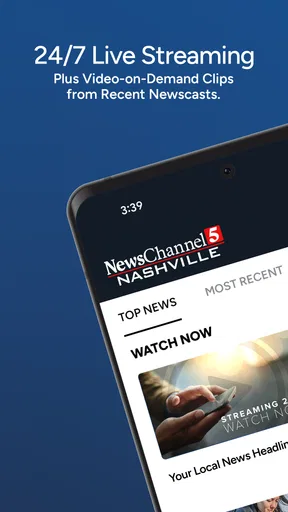
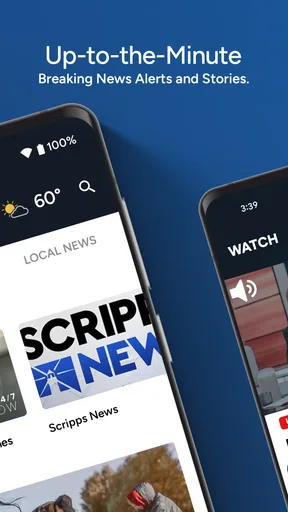
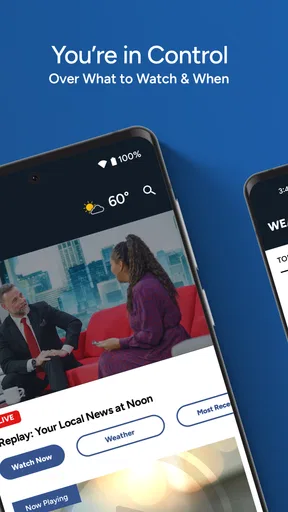
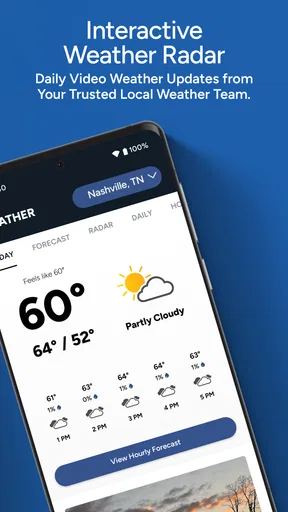
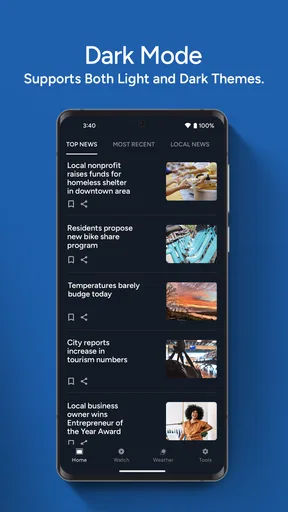
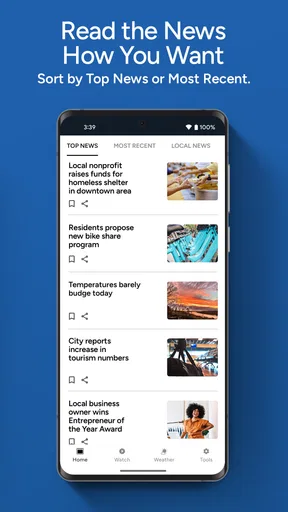
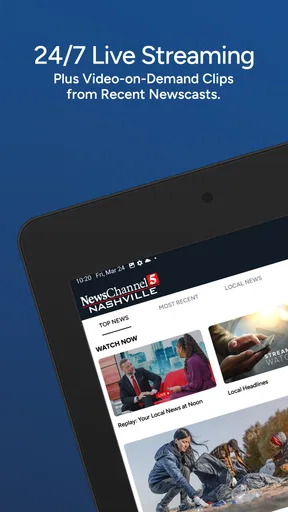
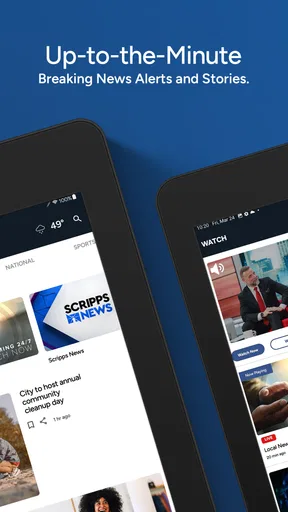
 Analysis by AppCompare
When I want local information rather than a broad national news feed, I prefer an app that starts with the place I actually live. News Channel 5 Nashville is built for that purpose, combining Nashville-area reporting with weather coverage in a straightforward mobile news experience. I found it most useful when I needed a quick sense of what was happening nearby without sorting through a large national app first.
This is a free news and magazines app from The E.W. Scripps Company, intended for everyone aged 10 and older. It has been available since April 24, 2014, and its current audience gives it an average rating of 4.1 from around 3.3 thousand ratings. That tells me it has a solid, established user base, although the rating also suggests that it will not satisfy every reader equally.
What to expect from the Nashville-focused news experience
The first thing to understand is the app’s scope. It is not trying to replace every news source on your phone. Its value comes from concentrating on breaking news and weather connected to WTVF NewsChannel 5 in Nashville. If you live in the area, work there, commute through it, or have family there, that focus can be more useful than a general-purpose news application filled with stories from places that do not affect your day.
I would describe the experience as practical rather than elaborate. I open it when I want to check whether a local event is developing, see what kind of weather may affect my plans, or catch up on regional stories without committing to a long reading session. The app’s store identity is simply “News Channel 5,” and that directness matches the way I use it: open it, look for the important local information, and move on.
A useful distinction is the difference between local awareness and complete news coverage. A national app may be better for international headlines, business news, politics beyond Tennessee, or a broad range of opinion. A weather-only app may be better when I need a highly specialized forecast view. This app makes more sense as a local companion, especially for people who want Nashville reporting in the same place as their local weather updates.
Because it is rated for ages 10 and older, I see it as suitable for families and older children who are learning to follow current events, though parents may still want to discuss difficult breaking-news topics. News changes quickly, and a local news app can sometimes present serious events close to home. The age rating is helpful context, but it does not remove the need for normal parental judgment.
Why the local focus matters in everyday use
Local coverage becomes valuable when timing and location matter more than volume. Imagine getting ready for work during a rainy morning and wanting to know whether conditions around Nashville could affect your route. Instead of opening a national feed, searching for the city, and then switching to a separate weather service, I can begin with this app to get a local update and decide whether I need more detail.
Worth Reading Before You Choose

EA SPORTS FC Mobile 26 Is a Bigger Football Game, but It Takes Time

Flipboard Shows What News Apps Must Do Beyond the Feed

Switching to Android Auto Means Rethinking Your Driving Routine

Google Calendar Makes a Crowded Week Easier to Manage

Ludo King Makes the Most of the Minutes Between Plans

Baby Panda World Brings Quick Play to Modern Phones, but Its Game Library Feels Busy
The same workflow applies to a developing neighborhood story. A national application may not surface it at all, or it may place it far below larger headlines. A local outlet has a better reason to put Nashville events in front of its audience. That does not mean every local report will answer every question, but it does make the first check more relevant.
One trade-off is that the narrow focus can feel limiting if I am looking for a complete daily briefing. I would not install this as my only source of information unless my main interest is Nashville-area news and weather. I would pair it with a broader source when I need national or global context.
First setup: making the first visit useful
Getting started should be approached with a simple goal: do not try to explore everything at once. After installing the app, I would first look for the latest local headline or weather item and learn how the main content is organized. That gives me a meaningful result quickly and helps me understand whether the app fits my routine.
On the first visit, I recommend checking the most recent content rather than beginning with older stories. A news app is most useful when it answers the question, “What matters right now?” Once I have seen the current material, I can decide whether I want to browse further or return later when something changes.
I also suggest treating the app as a check-in tool instead of leaving it open continuously. A short visit in the morning, another around a commute or lunch break, and a final look in the evening can be more manageable than repeatedly refreshing throughout the day. This approach reduces noise and makes it easier to notice genuinely new local developments.
Since the app is free, there is no purchase decision standing between installation and use. That makes it easy to test alongside another news source. I would give it several ordinary days rather than judging it after one visit, because its usefulness depends on whether local reporting and weather information match the moments when I personally need them.
The first successful action I recommend
For a first-time user, the best initial success is not reading every section. It is finding one current Nashville story and one relevant weather update, then deciding whether either affects the day ahead. That small task proves the app’s basic value without requiring a long learning period.
For example, before leaving home, I would open the app and scan for the latest local development. If there is a weather-related concern, I would use that information to decide whether to adjust travel time, carry different clothing, or check a more detailed forecast elsewhere. This is a realistic division of labor: the app provides local awareness, while a specialized service can handle deeper forecasting when needed.
Another useful first action is comparing what appears here with the headlines in a general news app. I do not use the comparison to decide which service is “better.” Instead, I look for the difference in emphasis. If News Channel 5 brings a Nashville story to my attention that the national feed ignores, I immediately understand why a local app deserves a place on my phone.
That comparison also teaches an important habit: local reporting is a starting point, not always the final answer. For a serious situation, I would read the full report, look for updates, and avoid relying on a single headline. The app can help me notice an event quickly, but responsible decisions still require attention to the details.
Common points of confusion during the first few visits
The most common misunderstanding is expecting a local news app to behave like a complete national portal. This one is strongest when the question begins with Nashville or nearby communities. If I open it expecting extensive international coverage, I may think it is incomplete when it is actually staying focused on its intended audience.
Another possible confusion is treating a breaking-news headline as a finished report. Local events can develop over time, and the first version of a story may not contain every detail. I make a habit of checking whether there is a newer update before sharing information or changing plans. That is especially important with weather, traffic-related disruptions, and public-safety stories.
Weather can also create unrealistic expectations. A local news app is convenient for seeing weather coverage alongside regional reporting, but I would not assume that a headline or brief update replaces a detailed forecast for a specific address, outdoor event, or long trip. When exact timing matters, I use the app to become aware of the situation and then consult a dedicated forecast source if necessary.
Finally, some readers may confuse familiarity with completeness. Because the app is tied to a recognizable local news outlet, it can feel authoritative and convenient. I still compare major claims with additional reliable sources when the subject is important. The app earns a regular place in my routine because it is relevant, not because one application should answer every question.
Who will get the most from it
I think this app is a good match for Nashville residents who want a quick local briefing, commuters who care about conditions affecting the area, and people with relatives or ongoing interests in the region. It can also suit readers who find national news feeds too broad and want a more geographically focused starting point.
It is less suitable for someone seeking a worldwide news dashboard, a deep archive for research, or a specialized weather instrument. Students working on subjects outside the region may need broader publications. Travelers passing through Nashville may find it helpful for local awareness, but they should not expect it to replace every travel, navigation, or forecasting tool.
I also would not recommend using it as the sole source for major decisions. Its role is to keep me informed about local developments, not to provide professional advice or guarantee that every rapidly changing situation is fully resolved in the first report.
How it compares with the usual alternatives
Compared with a national news app, News Channel 5 Nashville gives up breadth in exchange for local relevance. A national feed is usually more convenient for seeing a wide range of subjects in one place, while this app is more likely to make Nashville-area stories feel central rather than secondary.
Compared with a television news routine, the app is more convenient for a quick check when I am away from a screen or do not want to wait for a scheduled broadcast. It fits short visits better than a full viewing session. On the other hand, someone who prefers watching extended reports may still favor television coverage.
Compared with a dedicated weather app, this one has a broader purpose. I can use it to connect weather with local news, but a specialized weather service may be the better choice for detailed planning, precise conditions, or a trip that crosses several areas. I see the two types as complementary rather than interchangeable.
Compared with social media, the app offers a more intentional way to check local information. Social feeds can be fast, but they can also mix verified reporting with speculation, personal reactions, and repeated posts. I prefer using this app as an initial source for local headlines and then applying normal judgment before accepting or sharing a developing claim.
A practical routine for continued use
After the first successful check, I would build the app into a specific routine instead of opening it randomly. A morning scan can reveal weather-related concerns and major local developments. A midday visit can show whether a story has changed. An evening check can help me understand what mattered during the day without forcing me to follow every update in real time.
When a story affects me directly, I read beyond the headline and return later for developments. When it does not affect me, I avoid spending too much time scrolling simply because more content is available. This selective approach is one of the best ways to keep a local news app useful rather than overwhelming.
I also recommend using it as a prompt for better questions. If a report mentions a disruption, I ask whether it changes my route. If a weather update raises concern, I ask whether my plans require more precise information. If a community story matters to someone I know, I look for the latest version before passing it along. Those small decisions turn a headline feed into a practical daily tool.
For readers who are unsure about installing it, the low commitment helps. It is free, has been established for many years, and has more than one hundred thousand installs. The average rating of 4.1 shows a generally positive reception, while the roughly 1.2 thousand written reviews indicate that users have shared substantial feedback over time. I would treat those figures as a reason to try it, not as proof that it will suit every phone habit.
My final recommendation
After using News Channel 5 Nashville as a local check-in, I see its main strength clearly: it puts Nashville news and weather at the center instead of making local information compete with a world of unrelated headlines. Its best use is fast, location-specific awareness followed by a sensible decision about whether more detail is needed.
I would recommend it to Nashville-area readers, people monitoring the region from elsewhere, and anyone who wants a free local source alongside a broader news app. I would skip it if my priority is international coverage, advanced forecasting, or a single application that covers every subject equally well.
My advice is to install it, open the latest local content, find one weather-related update, and use both to plan a real part of your day. If that first check saves time or helps you notice something relevant, the app has already shown its value. News Channel 5 Nashville is not a replacement for every news or weather service, but as a focused Nashville companion, I find it practical, approachable, and worth keeping available.
Pros
- Local Nashville coverage focuses on news that directly affects the community.
- Live updates can help users follow developing stories as they happen.
- Weather information is useful for tracking severe conditions in Middle Tennessee.
- Video reports provide more context than short written headlines alone.
- Push alerts can keep important regional news visible throughout the day.
Cons
- Some alerts may feel frequent
- especially during major breaking-news events.
- Coverage is primarily regional and may offer limited national news depth.
- Video playback can use significant mobile data when streaming over cellular networks.
- Certain stories may require scrolling through advertisements or promotional content.
- App usefulness depends on reliable location services and an active internet connection.
FAQs for News Channel 5 Nashville
What is the News Channel 5 Nashville app?
News Channel 5 Nashville is a local news application focused on Middle Tennessee and surrounding communities. It provides access to breaking news, local reporting, weather forecasts, traffic updates, investigative stories, videos, and other coverage from the NewsChannel 5 newsroom. The app is designed for users who want quick updates on regional events without relying only on television broadcasts or a desktop website.
What type of news and information can I find in the app?
The app generally covers a broad range of Nashville-area topics, including local politics, crime, education, health, business, entertainment, sports, and community events. It also offers weather information, severe-weather alerts, radar features, and traffic reports when available. Content can change throughout the day, so users may see frequent updates during breaking news, storms, emergencies, or major local developments.
Does News Channel 5 Nashville provide live news and weather coverage?
The application may provide live streams, live video clips, and continuous updates during important news events, depending on the station’s schedule and regional availability. Weather coverage can include forecasts, radar maps, current conditions, and severe-weather notifications. Some live features may require a stable internet connection, and availability can vary based on location, broadcast rights, technical issues, or the type of event being covered.
Is the News Channel 5 Nashville app free to download and use?
The app is typically free to download, allowing users to browse news stories, watch available videos, and access many weather and traffic features without an upfront purchase. However, using mobile data for video streaming or frequent updates may count against your carrier’s data plan. Certain content, advertising, optional notifications, or externally linked services may also be subject to separate terms.
Can I receive breaking-news, weather, and emergency notifications?
Yes, the app may support push notifications for breaking news, severe weather, school or community developments, and other important local updates. Notifications can be useful during tornado warnings or rapidly changing events, but they may arrive frequently depending on your selected settings and the station’s editorial decisions. After installation, review the notification preferences and your device’s permission settings so alerts match your interests.


